Prerequisites
Last updated: November 18, 2026
Summary
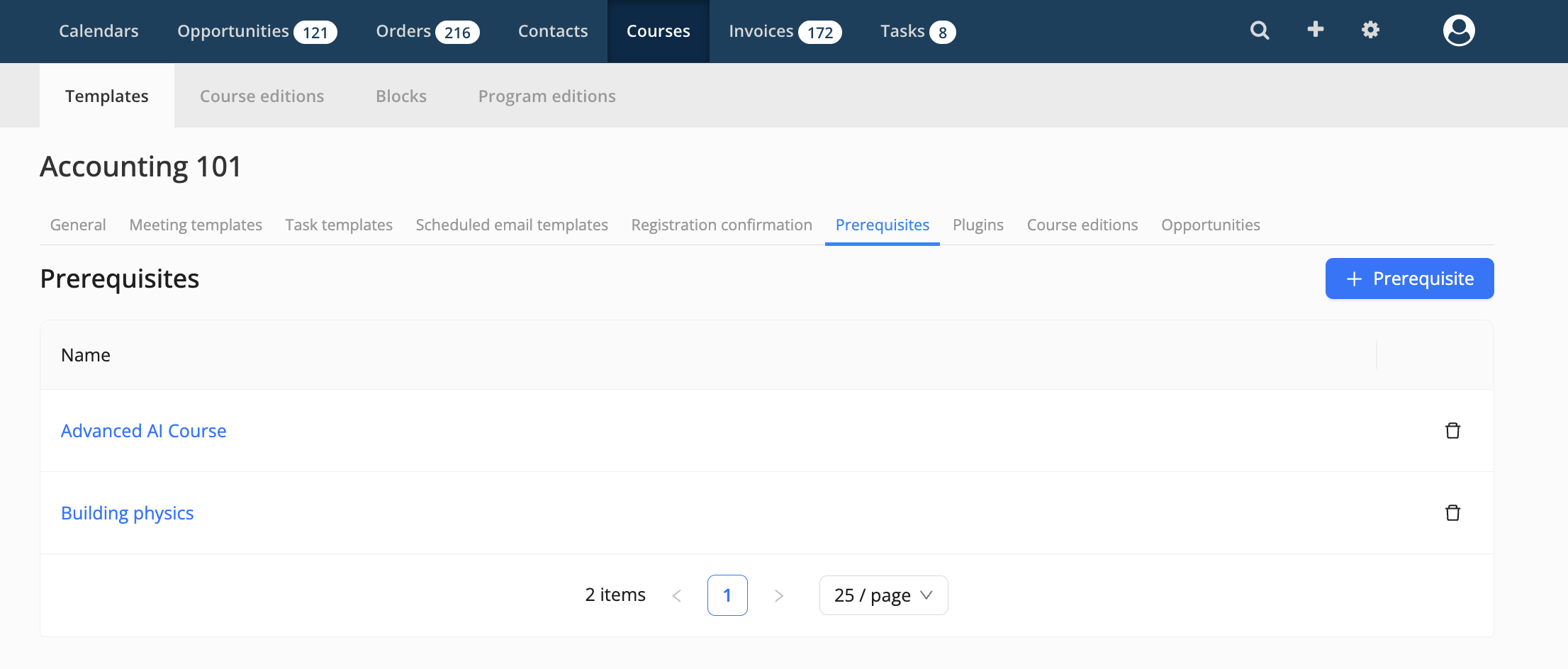
With Prerequisites, an Admin can record which courses a Participant should have completed before taking a course. As an Admin, you select one or more existing Course Templates as Prerequisites on a Course Template. This gives you one place in Eduframe to keep track of these requirements, instead of a separate spreadsheet, and the data is available through the Admin API for reporting.
Prerequisites are only recorded. They do not affect Enrollments: Participants can still sign up for a course even if they have not completed its Prerequisites.
Note: This feature can be activated on request. If you are interested, contact Support.
How do I add Prerequisites to a Course Template?
As an Admin:
Open the Course Template you want to add Prerequisites to.
Go to Prerequisites.
Search for the required Course Template and select it. Repeat this for every Prerequisite you want to add.
Click Save.
You can change the Prerequisites of a Course Template at any time.
Note: You can add a maximum of 20 Prerequisites per Course Template.
What should I know about Prerequisites?
Circular Prerequisites are blocked: you cannot add a Prerequisite that would create a loop, for example when Course A requires Course B and Course B also requires Course A. Eduframe shows an error and the Prerequisite is not saved.
A Course Template that is a Prerequisite cannot be deleted. To delete it, first remove it as a Prerequisite from the Course Template(s) that require it.
Prerequisites do not affect Enrollments: Eduframe does not check Prerequisites when a Participant signs up or when an Order is created, and Prerequisites are not shown on the website or Signup Form.
Prerequisites are recorded on Course Templates only, so they apply to all editions of that course. They cannot be set per Course Edition or on Program Templates.
How do I get Prerequisites via the Admin API?
The Prerequisites of a Course Template can be retrieved through the Admin API. This way you can use them in your own reporting, for example with the 📄 Power BI Integration, or show them on your own website.