FAQs Canvas-Eduframe Integration
Last updated: August 31, 2026
Summary
In this article we cover several Frequently Asked Questions regarding the Canvas and Eduframe integration.
All details about the integration can be found in 📄 Canvas LMS integration and 📄 Setting up Eduframe and Canvas LMS connection.
Can Eduframe create Sections in Canvas courses?
No, in Eduframe are not sections within a course. As a result, these cannot be synced to Canvas.
However, it is possible to use sections in Canvas. There is always at least one section per course in Canvas. When Eduframe is creating a course and pushing enrollments to Canvas, this will be in that section (course section). This section has to stay as it is.
If you want to create more sections, these are the possibilities:
Adding manually extra section(s) in a Canvas course.
Adding extra section(s) via a SIS import (csv) in a Canvas course.
How can you use Terms in Canvas when Eduframe and Canvas are connected?
Terms (Canvas functionality) are intended to cluster courses chronologically. Terms can only be defined in Canvas on the root account; manually, via SIS imports or API.
Terms can by default be arranged in Canvas. Eduframe pushes the default/standard term through in Canvas courses.
Eduframe will fill in the course start and end date within a Canvas course and therefor makes use of the course dates.
If you want to use Terms in Canvas, this is possible with the following use case: In Canvas you can filter by terms in all course overviews.
There are options to connect other terms as well:
Adjust manually in Canvas
SIS import
API calls bulk in Canvas

Notes:
The participation within course settings in Canvas, should stay on Course.
Changing the participation to 'term' will always be synced back to 'course'.
How can I sync grades from Canvas back to Eduframe?
You can sync grades back from Canvas to Eduframe with the 📄 GradeSync LTI - integration.
How does the participant (student) journey look with Eduframe and Canvas?
An example of a participant (student) journey could be the following example:
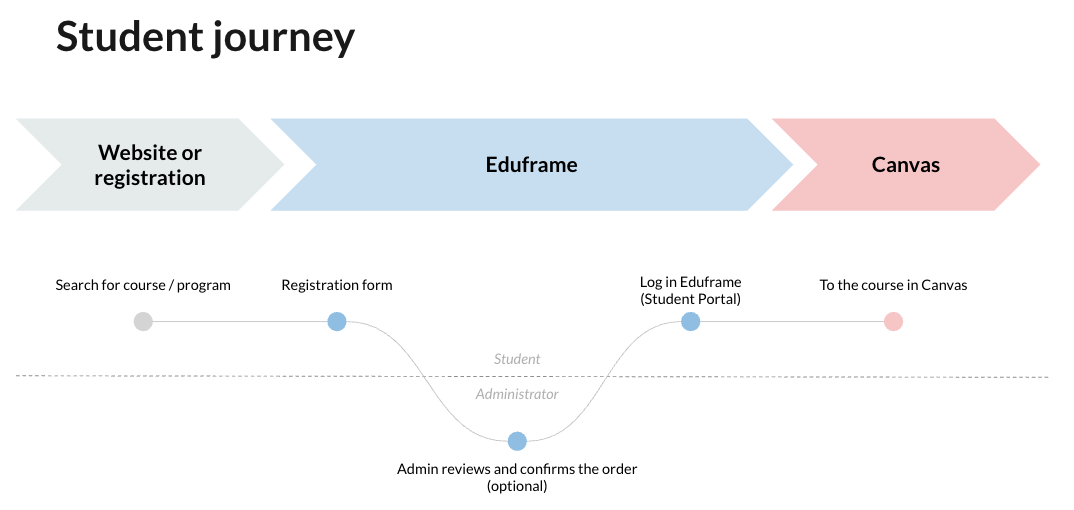
Tip: the Canvas setting 'Include this course in the public course index' needs to be disabled for automatic login from Eduframe to Canvas to work. Manual login will always work.
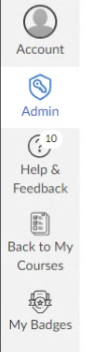
Note: In Canvas, there is no link back to Eduframe. To solve this, you can add Eduframe participant portal as a button in the global navigation in Canvas. For this you need knowledge about CSS/Javascript.
See below an example of 'back to my courses' as additional button in Canvas.