How to Set a Teacher to Inactive?
Last updated: September 21, 2026
Summary
There can be multiple reasons why a teacher should have an inactive status:
Due to long-term illness or career break: this person will return (when is unclear)
Due to missing certain certifications required for teaching. Teacher does not have a contract for teaching. This person will return after a specific date.
This article explains more details about Inactive Teachers.
How to set a teacher to the Inactive status?
A teacher is by default an 'active' teacher. As an admin, you can change this status to inactive, following these steps:
Go to Contacts > Teachers.
Select the relevant teacher.
Scroll down to the Active section that can be (un)checked.
Uncheck the box if you want to set a teacher to inactive.

What happens when a teacher gets the inactive status?
An inactive teacher:
Won't have permission to log in to Canvas (as a teacher), they can still login as a participant.
Won't have permission to log in to the teacher portal in Eduframe.
Can be planned on a course/meeting/subevent just like a normal teacher. They will have "(Inactive)" added to their name to inform admins.
Will be visible in the teacher table. They will have "(Inactive)" added to their name to inform admins.
Will still be part of email tags that include teachers (e.g the Course: teachers tag to send an email to all course teachers).
Will still be able to see all of the meetings planned on, including future ones, using the iCal feed.
Will still be visible in the course cards on the participant portal if an inactive teacher is planned for the specific course.
Will still be synced to the website (Wordpress plugin).
Things to check when setting a teacher to inactive
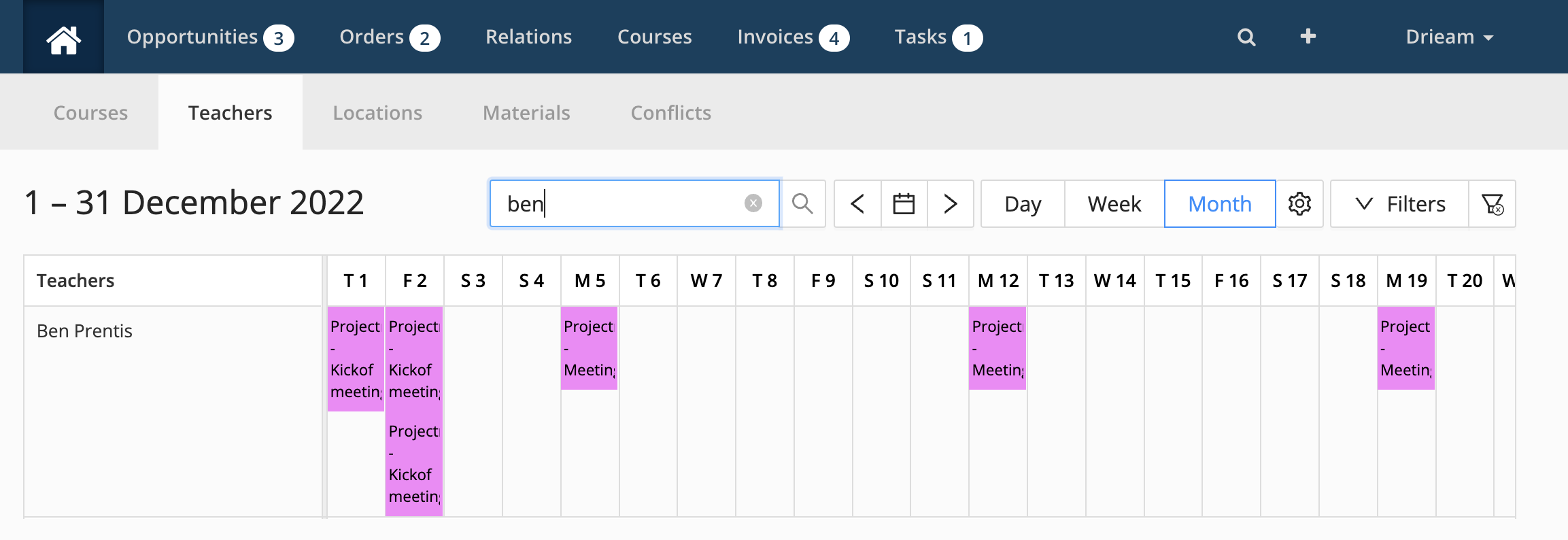
Go to the teacher planning in Eduframe to check whether an inactive teacher is still planned on current of future meetings/sub events. Decide whether you want to replace those teachers or not.
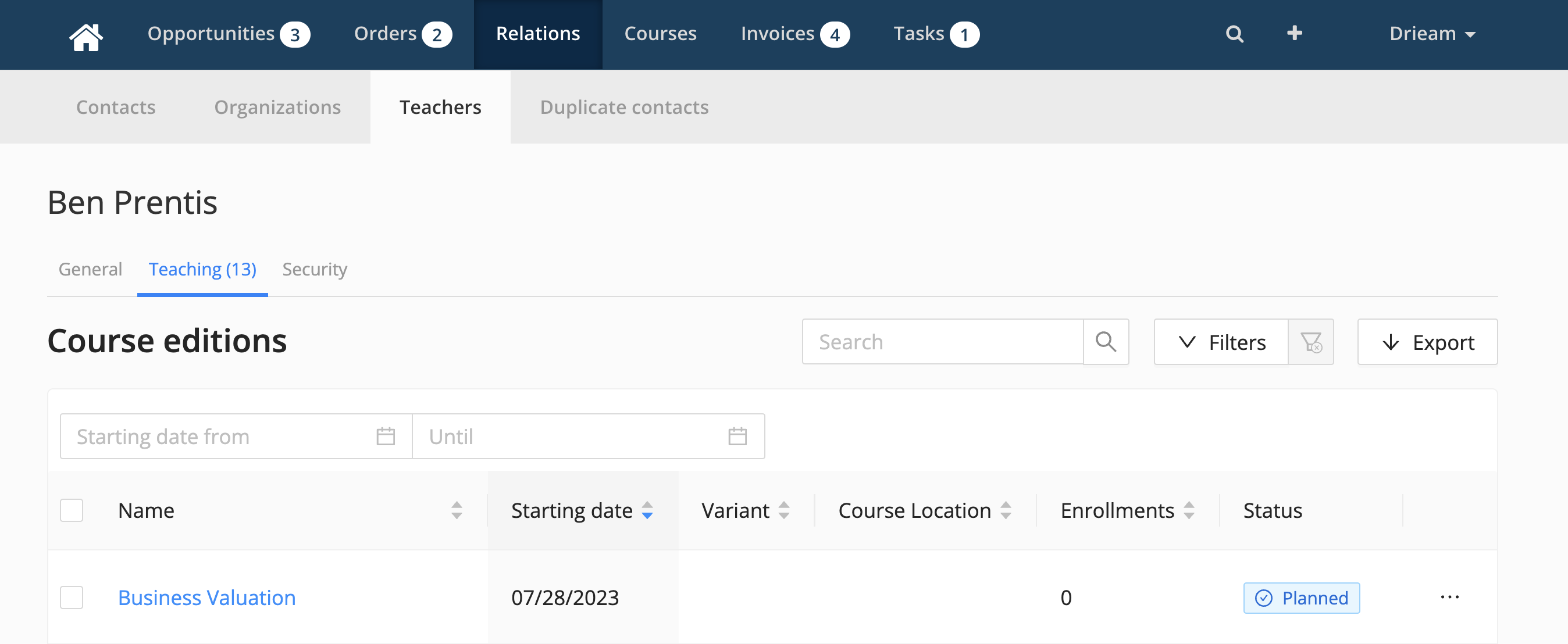
Go to the teacher page in Eduframe to check whether an inactive teacher is still planned on current of future courses. Decide whether you want to replace those teachers or not.
What is the difference between an inactive teacher or deleted teacher?
The difference between an inactive teacher and a deleted teacher is that the information of an inactive teacher will be saved in Eduframe. An inactive teacher can be set back to active again.
The teaching history will be saved in Eduframe. So the teacher stays planned on all courses/meetings/sub-events.
The teachers will be removed from all courses in Canvas when set to inactive. When you activate a teacher again this will be reverted again.
Teacher information will still be saved.
When you delete a teacher, the teacher will be removed from Eduframe (this action can't be undone).
All teacher information will be removed (and can't be restored).
The teacher will be removed from all (also old) courses/meetings/sub-events in Eduframe.
The contact linked to this teacher won't be removed.
Teacher information includes:
Teacher files
Employee number
Teacher labels
Short description
Biography
Avatar
Teacher custom fields