How to Pay Teachers with Eduframe?
Last updated: September 22, 2026
Summary
Eduframe lets you assign Teachers and their Role to every Course, Meeting, or Subevent so it's clear who is teaching what. For institutions that also use Payout LTI — a premium feature that registers teacher compensation (docentvergoedingen) — Eduframe can automatically calculate and register what to pay each teacher, based on their Teacher Role and an hourly rate.
What determines how much a teacher gets paid?
A Teacher Role is a label you assign to a teacher on a Course, Meeting, or Subevent to describe what they do. For example Teacher, Coordinator, or Assessor. Teacher Roles are available to every Eduframe account and are the starting point for teacher compensation: see 📄 How to Specify Teacher Roles in Eduframe?to set them up.
How does Payout LTI register teacher compensation?
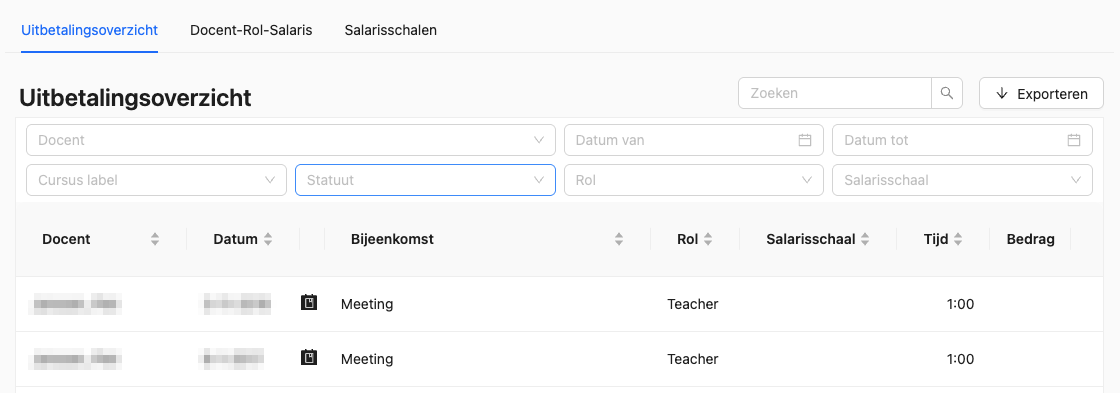
As an Admin, you link an hourly rate, a Payout scale, to a Teacher Role. Payout LTI then syncs Meetings and Subevents from Eduframe in the background and, for each one, matches the teacher's Teacher Role to the correct Payout scale to calculate the amount owed.
The result is available in two views:
The full hours overview, visible to Admins only, who can filter, search, and export it.
My hours overview, visible to each teacher for their own hours, with a monthly breakdown.
Note: Eduframe registers teacher compensation (docentvergoedingen) through Payout LTI, a Premium Feature. Contact support or your Drieam CSM for more information.
What is a Payout scale?
A Payout scale is a fixed hourly rate linked to a Teacher Role. Because the rate sits on the Teacher Role rather than the meeting itself, two teachers can be paid differently even with the same role. For example, a higher rate for meetings held outside the Netherlands, by creating a separate Teacher Role for that case.
Payout scales are assigned per teacher, either before a teacher is planned on a Meeting or the first time they are planned in that Teacher Role.
Can teachers register travel expenses?
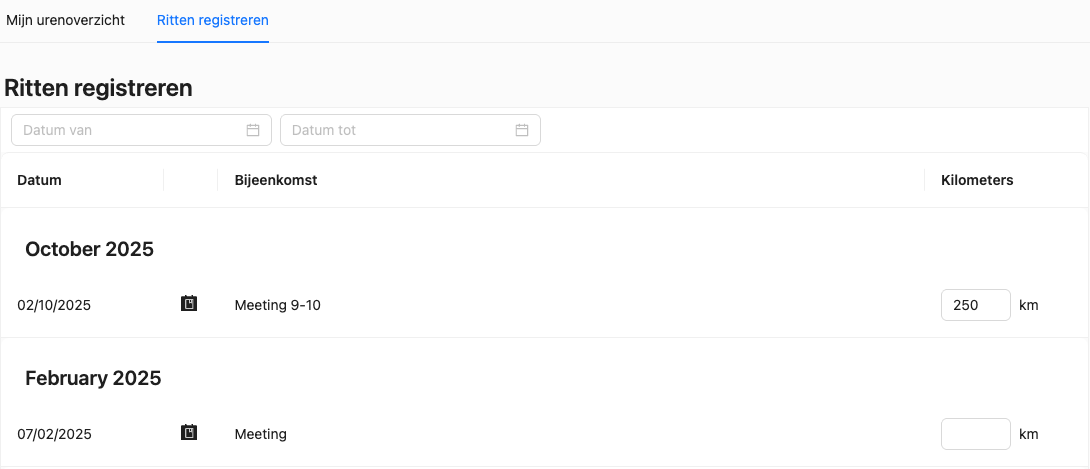
Travel allowance is a Payout LTI feature that lets teachers log the distance they traveled to a Meeting, so Admins can calculate a travel reimbursement. A few things to know:
The registered distance doesn't affect the Hours overview — it's for reimbursement only.
It's included in the Payout export, so Admins can calculate the reimbursement.
Distance is capped at 300 km per Meeting, and teachers can only log it for Meetings that already took place.
Can I filter payout data by other teacher information?
As an Admin, you can filter the payout overview by one Contact or Teacher custom field. For example, an employment status field — and include one additional custom field in the Payout export.
What can Payout LTI do?
Payout LTI can:
Manage Payout scales and hourly rates.
Synchronize Meetings and Subevents from Eduframe to Payout LTI.
Assign Payout scales to teachers based on their Teacher Role.
Calculate the monthly payout for teachers and export it to Excel.
Payout LTI cannot:
Manage declarations.
Initiate payments.
Integrate with external systems — Payout LTI does not currently have a public API.